You can change the email address on your Coursiv account yourself in your account settings, in the Coursiv app or on the website.
Change your email in the app or on the website
The steps are the same in the app and on the website at app.coursiv.io.
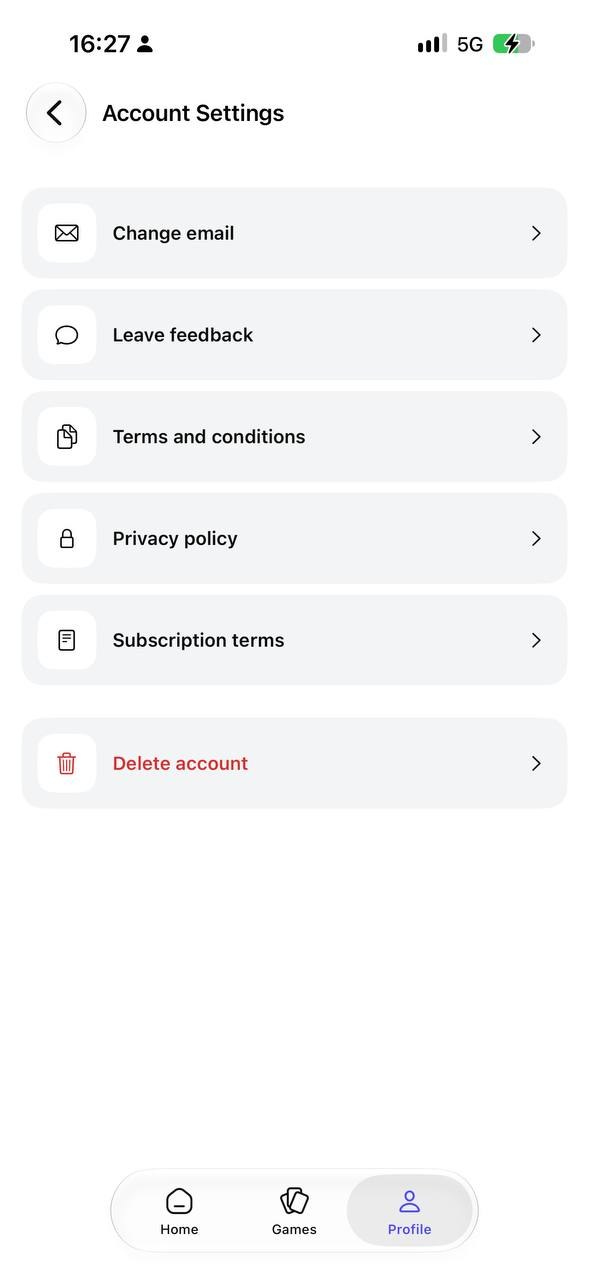
- Go to Profile → Settings → Account settings.
- Tap Change email.
- Enter your new email address.
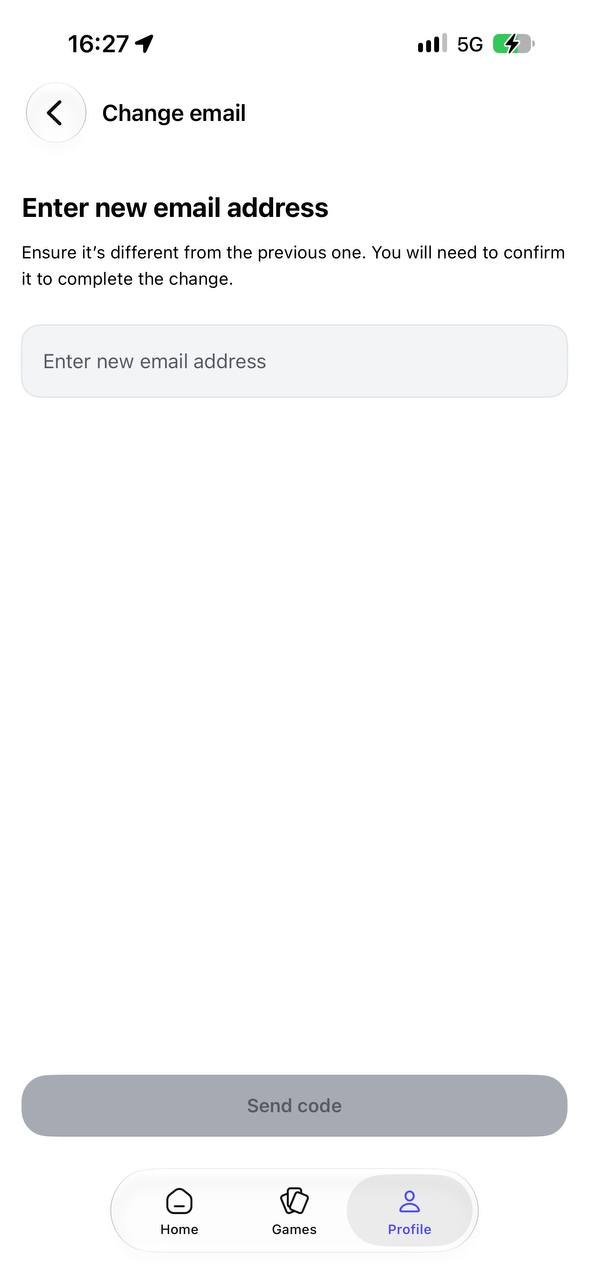
- Tap Send code, then enter the code we send you to confirm the change.
What happens next
Once you've completed these steps, you'll see the message Email address updated. This means your new login email is now active.
Note: If you subscribed through a third-party service (like Apple or Google), make sure your new email is one you have active access to, so you can recover your account and receive receipts.
Need further clarification?
Contact us at support@coursiv.io or submit a request in our Support Center.
Was this article helpful?
That’s Great!
Thank you for your feedback
Sorry! We couldn't be helpful
Thank you for your feedback
Feedback sent
We appreciate your effort and will try to fix the article