Our content is available in 11 languages.
Supported Languages:
English, Spanish, French, German, Italian, Portuguese
Filipino, Indonesian, Japanese
Arabic, Hebrew
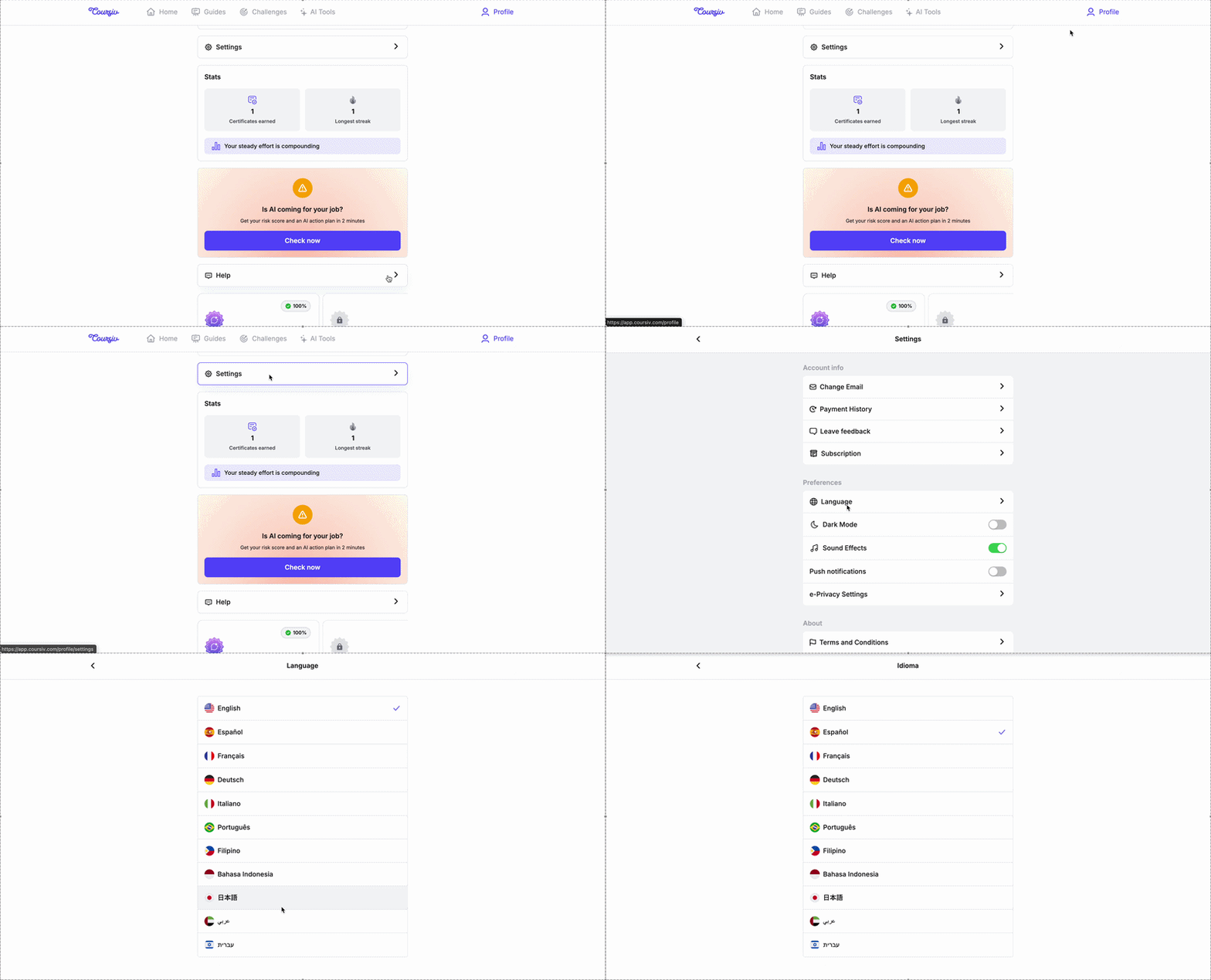
1. Web/Google Play app:
Navigate to your Profile.
Open the Settings menu.
Tap Language.
Select your preferred language from the list. The interface will update immediately.
2. iOS (iPhone) Users
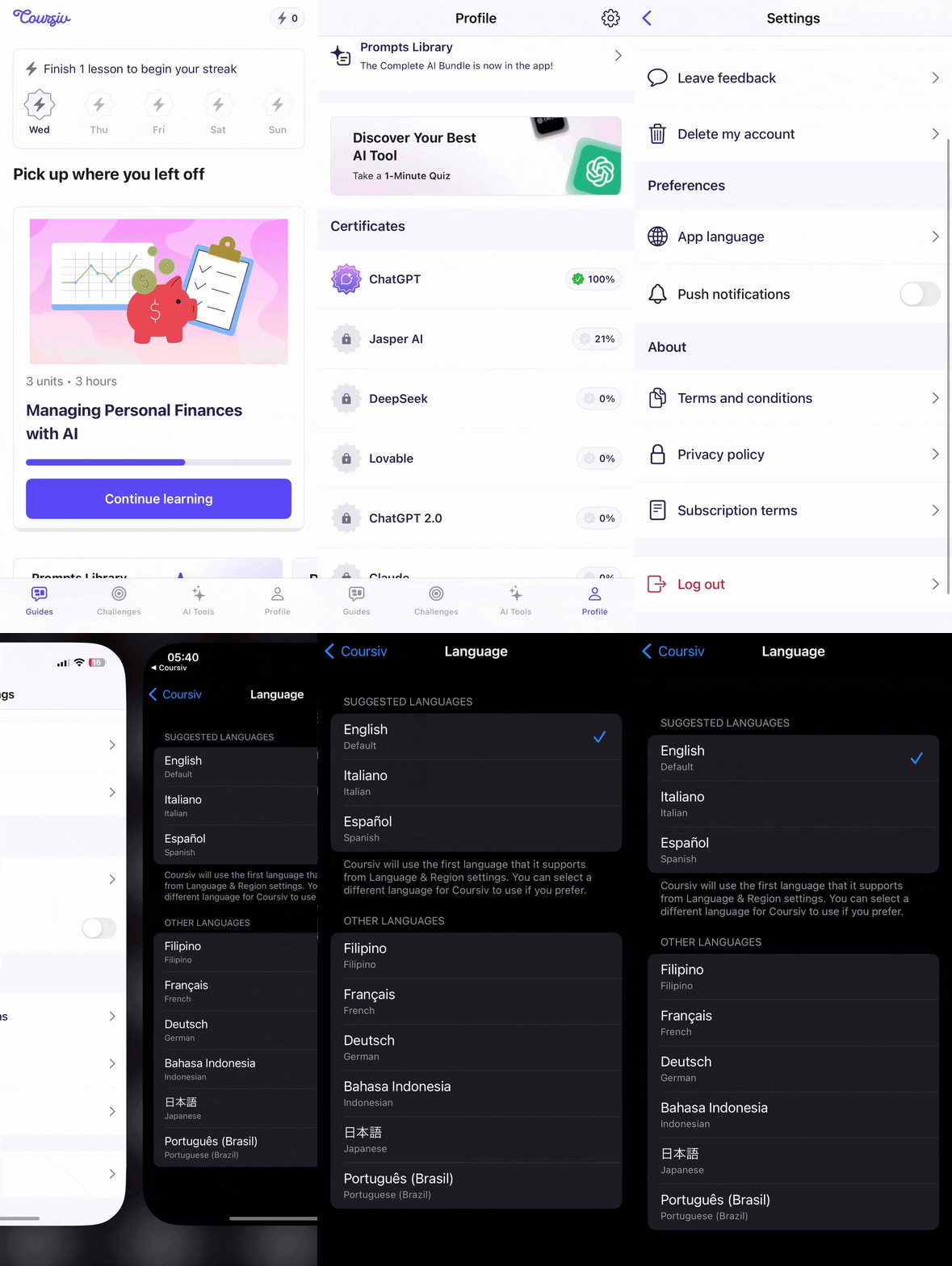
For the App Store version, your language settings are managed by your device's system preferences:
Open the Settings app on your iPhone.
Scroll down to the Apps list and select Coursiv.
Under Preferred Language, tap Language.
Choose your desired language from the list.
Need further clarification?
If you have any further questions regarding our services or security, please reach out to us at support@coursiv.io or visit our Support Center.
Was this article helpful?
That’s Great!
Thank you for your feedback
Sorry! We couldn't be helpful
Thank you for your feedback
Feedback sent
We appreciate your effort and will try to fix the article